The Problem Left by Empty Values
NULL is understood not as a simple blank space, but as a state that has not yet been recorded or is unknown.
Creating a table and inserting member data
I created a table and put in member data. I tried to find people who didn't enter a phone number like this:
SELECT name
FROM users
WHERE phone = NULL;
The result is empty. Even though there are clearly rows where the phone number wasn't entered.
There's no typo, and the table name is correct. But it doesn't work. To understand why this statement is wrong, I need to reconsider what NULL is.
NULL is not empty
When you first see NULL, it feels like a blank space. A state of nothingness. Similar to 0 or an empty string.
But in databases, these three things are completely different.
0 is the number zero. A clearly defined value. '' is an empty string. A string with no content, but it is a value in itself. NULL is different. It doesn't mean there's no value, but rather a state that is unknown or not yet recorded.
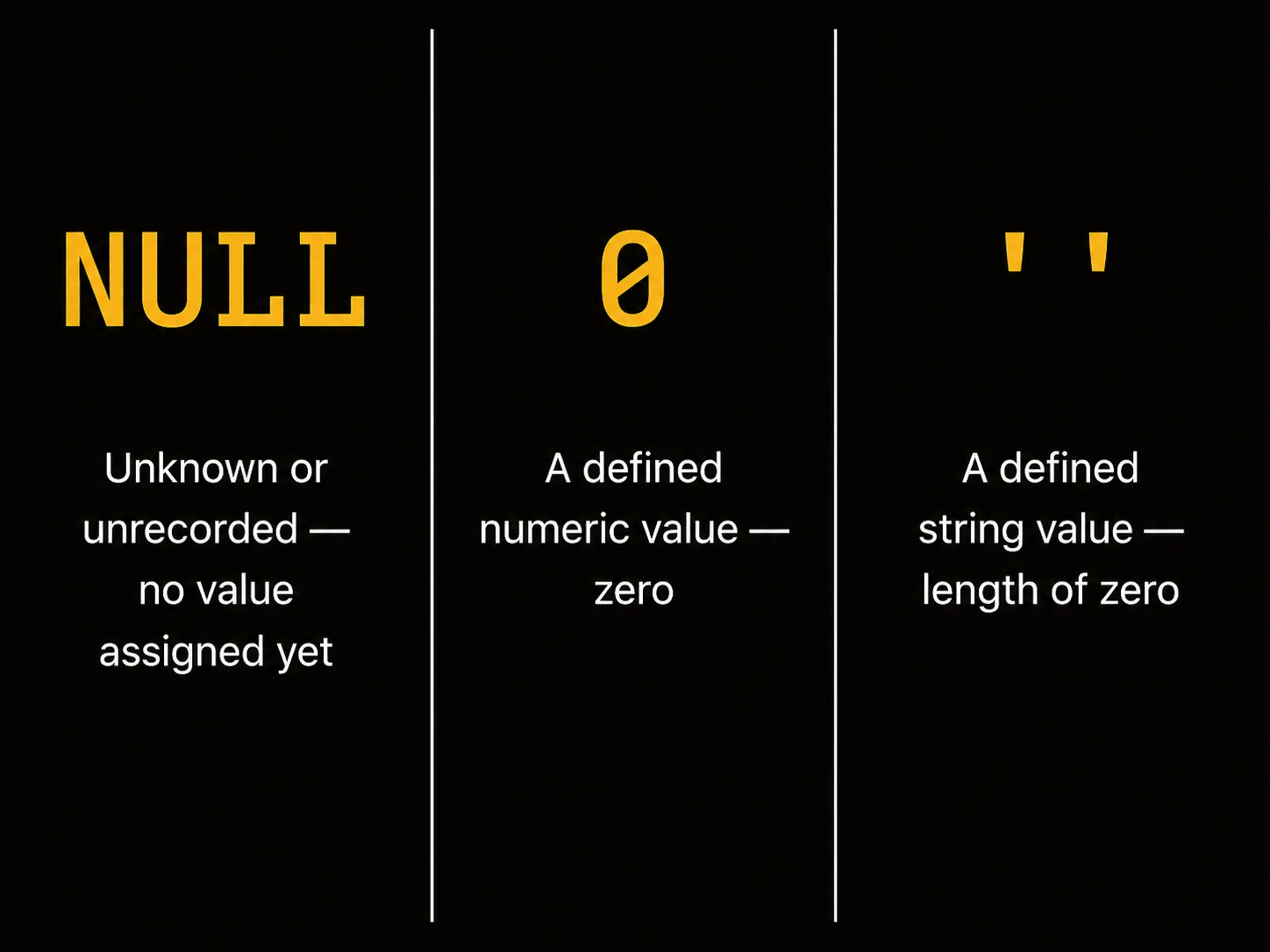
When you leave the phone number field blank in a registration form, some systems store that value as an empty string (''), while others store it as NULL. The important thing is that the two don't mean the same thing. A value stored as NULL is closer to the state "the phone number is unknown or not yet recorded" rather than "the phone number doesn't exist."
This difference seems small, but it causes problems in many places when writing queries.
Why you can't compare with equals
This is why the earlier query doesn't work.
WHERE phone = NULL
This condition asks "is phone equal to NULL?" But NULL is an unknown value. Whether an unknown value is the same as another unknown value is, again, unknown.
So the result of NULL = NULL is not true. It's NULL.
The database treats this comparison itself as "unknown." In a WHERE clause, if the result is NULL, that row is not included in the results. All rows without a phone number are filtered out.
To find NULL, you must use IS NULL instead of equals.
SELECT name
FROM users
WHERE phone IS NULL;
Conversely, if you want to see only rows with values, use IS NOT NULL.
SELECT name
FROM users
WHERE phone IS NOT NULL;
IS NULL is not an equals sign. It's a separate expression that asks "is this field in an unknown state?"
Unknown propagates
The most careful thing about NULL's characteristics is this: if NULL is involved in an operation, the result becomes NULL too.
SELECT 100 + NULL;  -- NULL
SELECT NULL * 5;    -- NULL
The reason is one. The result of a calculation involving an unknown value is also unknown.
Say there's a query in a product table that multiplies price and quantity to get the total price.
SELECT item_id,
       price * quantity AS total
FROM items;
| item_id | price | quantity | total |
|---|---|---|---|
| 1 | 100 | 2 | 200 |
| 2 | NULL | 3 | NULL |
| 3 | 200 | NULL | NULL |
| 4 | NULL | NULL | NULL |
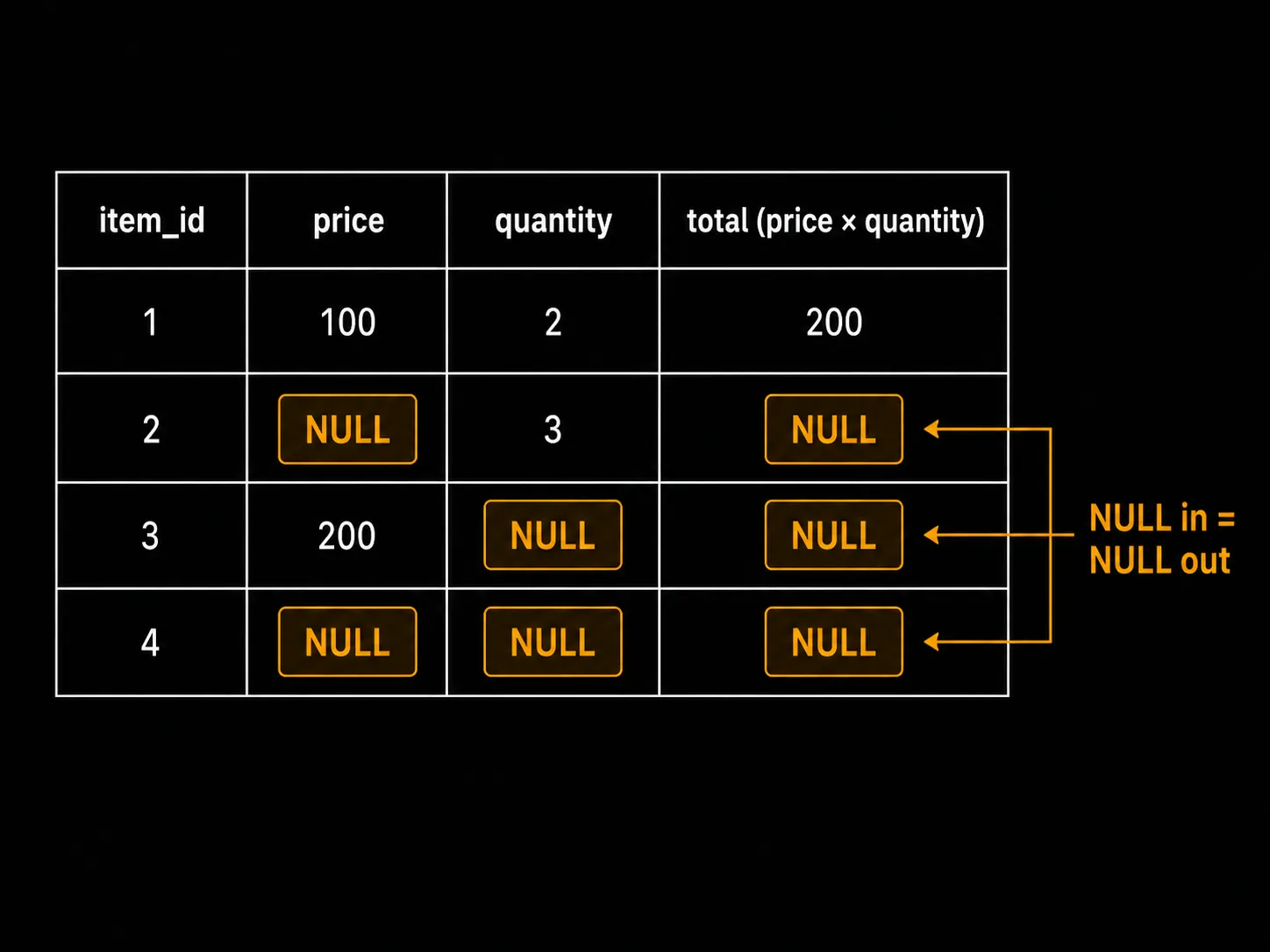
If either price or quantity is NULL, the total price also becomes NULL. The calculation isn't wrong. It means the result of a calculation with an unknown value must remain unknown.
When this behavior becomes a problem, handle it with COALESCE. COALESCE(value, replacement) returns the replacement value when the value is NULL.
SELECT item_id,
       COALESCE(price, 0) * COALESCE(quantity, 0) AS total
FROM items;
However, unconditionally filling NULL with 0 isn't always correct. The moment you change the "unknown" state to 0, the meaning of the data can change. What value to replace it with should be decided based on what the data means.
Aggregate functions handle it differently
Unlike in normal operations where NULL propagates, aggregate functions like SUM, AVG, MAX, and MIN typically skip NULL and calculate based on rows that have values.
-- Values in the scores column: 80, NULL, 90, NULL, 70
SELECT SUM(score),  -- 240  (excluding NULL)
       AVG(score),  -- 80   (240 ÷ 3, excluding NULL)
       MAX(score),  -- 90
       MIN(score)   -- 70
FROM scores;
SUM doesn't treat NULL as 0. It just skips it as if it doesn't exist. AVG also doesn't divide by the total number of rows, but only by the number of rows with values. If there are 5 values and 2 NULLs, it divides by 3.
COUNT, one of the aggregate functions, works in two ways.
SELECT COUNT(*),     -- 5 (total number of rows, including NULL)
       COUNT(score)  -- 3 (only rows with values)
FROM scores;
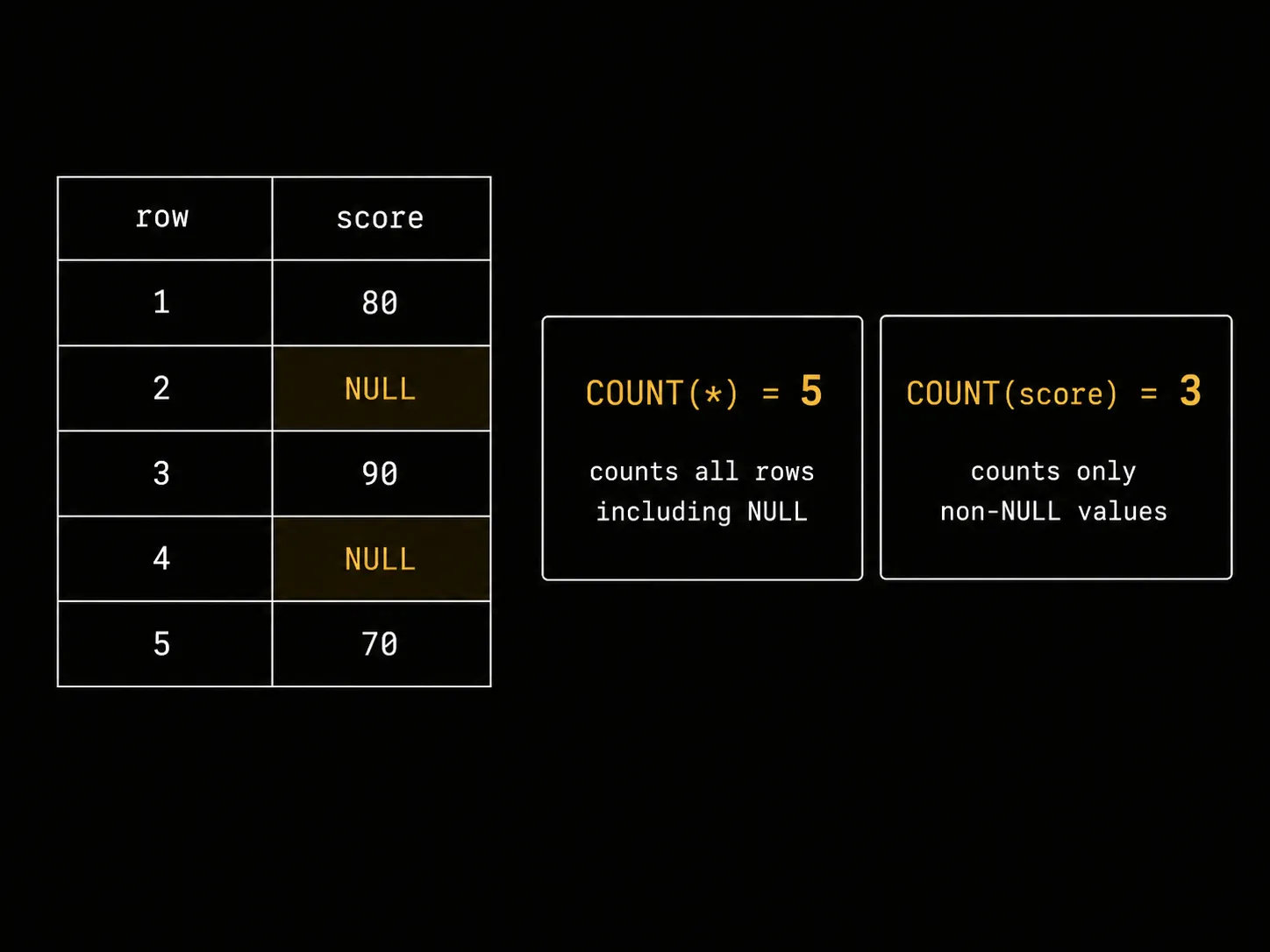
COUNT(*) counts the rows themselves. If a row exists, it's included even if there's a NULL. COUNT(score) counts only rows that have values in the score column. Rows with NULL are excluded.
Without knowing this difference, it's easy to mistake the total number of members for the number of members with phone numbers. They're different questions.
Problems left by empty values
Handling NULL is more about how to read data than about grammar.
The presence of NULL in a table is a record of a time when that data was unknown. The phone number wasn't entered at registration, or the shipping address wasn't yet determined, or a measurement was missing. NULL preserves that situation as is.
The reason WHERE phone = NULL doesn't work, NULL + 1 becomes NULL, and COUNT(*) and COUNT(col) are different—it's all for the same reason. Unknown values remain unknown.
Whether to fill that unknown with 0, exclude it, or leave it as is is a decision that the person writing the query must make. The database speaks honestly: it doesn't know. It's up to the person asking the question to decide how to read that honesty.